
Booking software for venues
Bookings that fit your spaces and staff
Reservanta books the rooms, arenas and people your venue really has, so every slot you sell is one you can run. Customers book on your website in your colours; your team runs the day from one calendar.
- No double bookings
- Your colours, on your website
- Pay on arrival
- 14 days free, no credit card
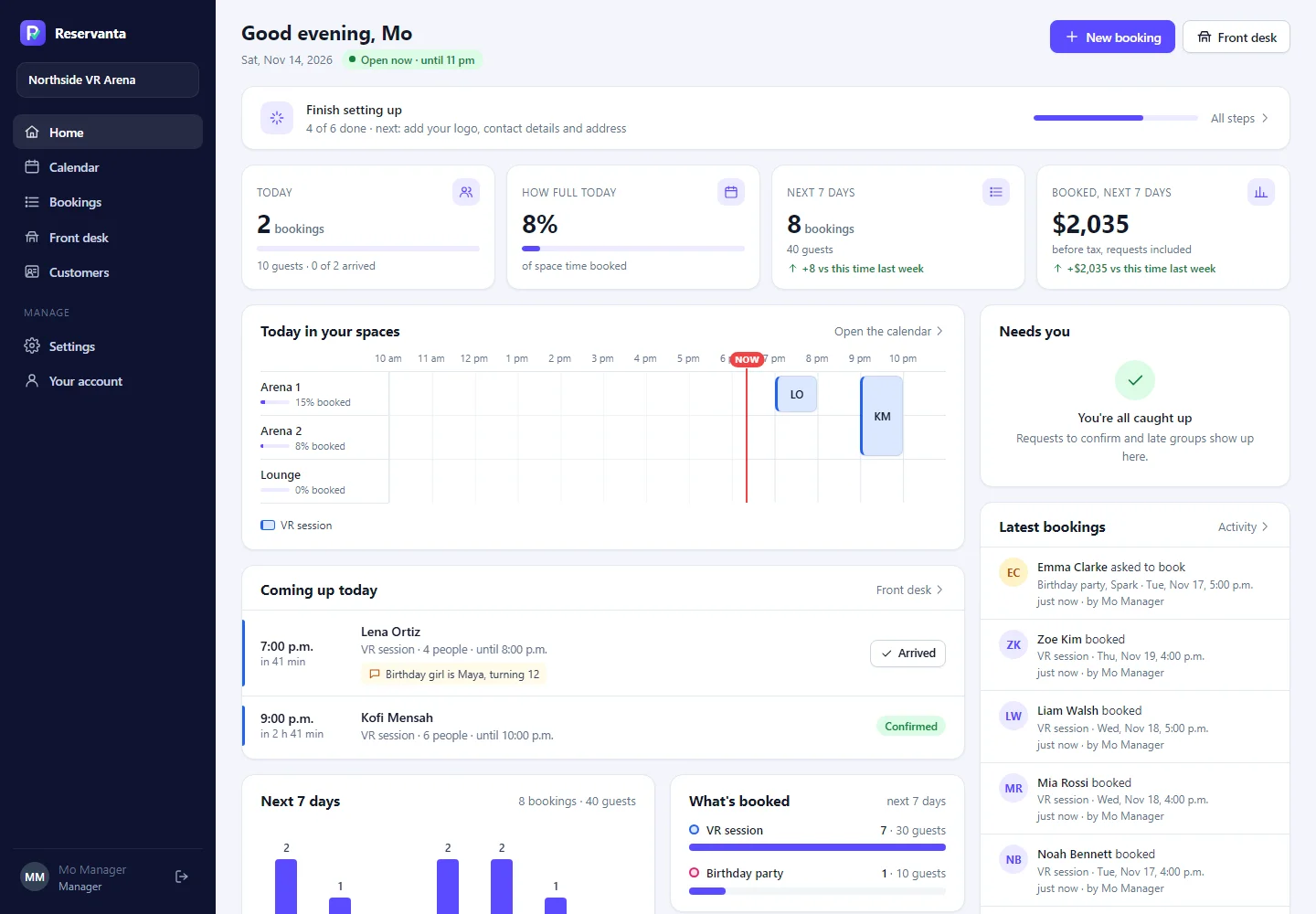
Built with our first venue, Another World VR North York in Toronto
Made for venues where rooms and staff are the limit
- VR arenas
- Escape rooms
- Party venues
- Axe throwing
- Bowling and games
- Studios and rooms by the hour
Why Reservanta
Sell only what your venue can really run
0 double bookings: the database refuses them
3 ways to take bookings on your website
1 calendar for every space and person
Seat counts work for restaurants. Your venue has arenas, rooms and people, and every booking needs the right ones at the right time, with time to set up and clean up around it.
Reservanta knows which spaces can be booked together, which staff each package needs and when they are free. Customers only ever see times you can really run, and your team sees the whole day in one place.
What makes it different
Built around how venues really work
No double bookings, ever
Every booking holds real spaces and real staff. The database itself refuses two bookings in one space at once, even when two people press Book at the same moment.
Your booking form, your brand
In a page, in a pop-up from any button, or on your own booking page. Your colours, pictures and videos, on any website builder.
A calendar your front desk lives in
Day, three-day and week views by space, check-in at the desk, requests to confirm, and everything a customer booked on one page.
Features
Everything the front desk asks for
Spaces and packages
Sell one arena, two together or the whole venue. Packages with tiers, group sizes and start times on your grid.
Requests when you want them
Big parties ask first. The time is held while your team confirms or declines.
Messages that sound like you
Confirmations, reminders and thank-you emails with your Google review link. Edit every word, with a preview.
Agreements and questions
Customers accept your terms and answer your questions while they book. You see the answers on the booking.
Google Calendar both ways
Bookings appear in your Google Calendar within minutes, and busy times there can stop online bookings.
Count what your ads bring
Google Analytics, Google Ads and Meta record bookings and their value, with no names or emails, after the visitor agrees.
See it working
Ready for your busiest Saturday
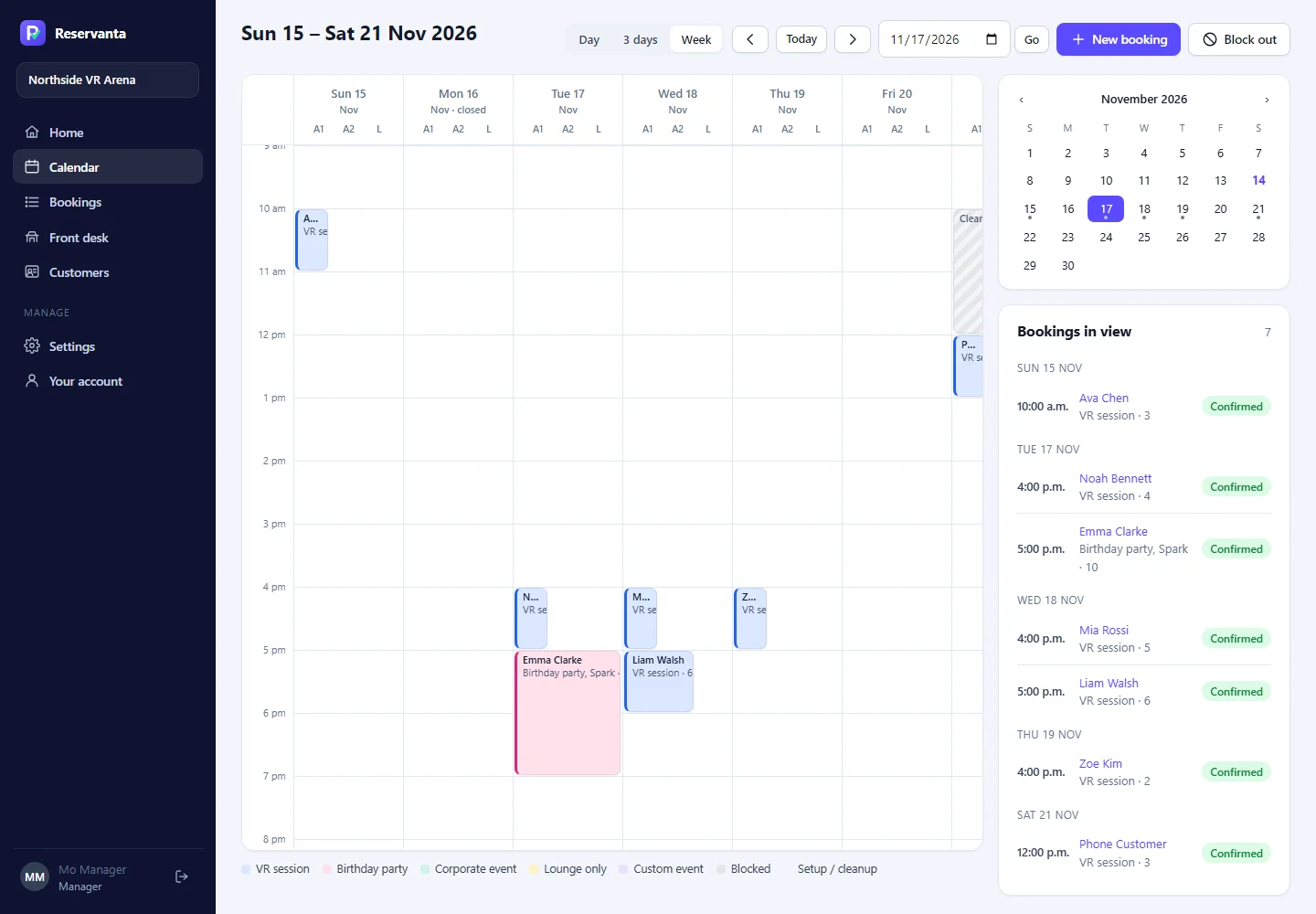
The week, by space
Day, three-day and week views by arena, room and lounge, with set-up and clean-up time shown around each booking.
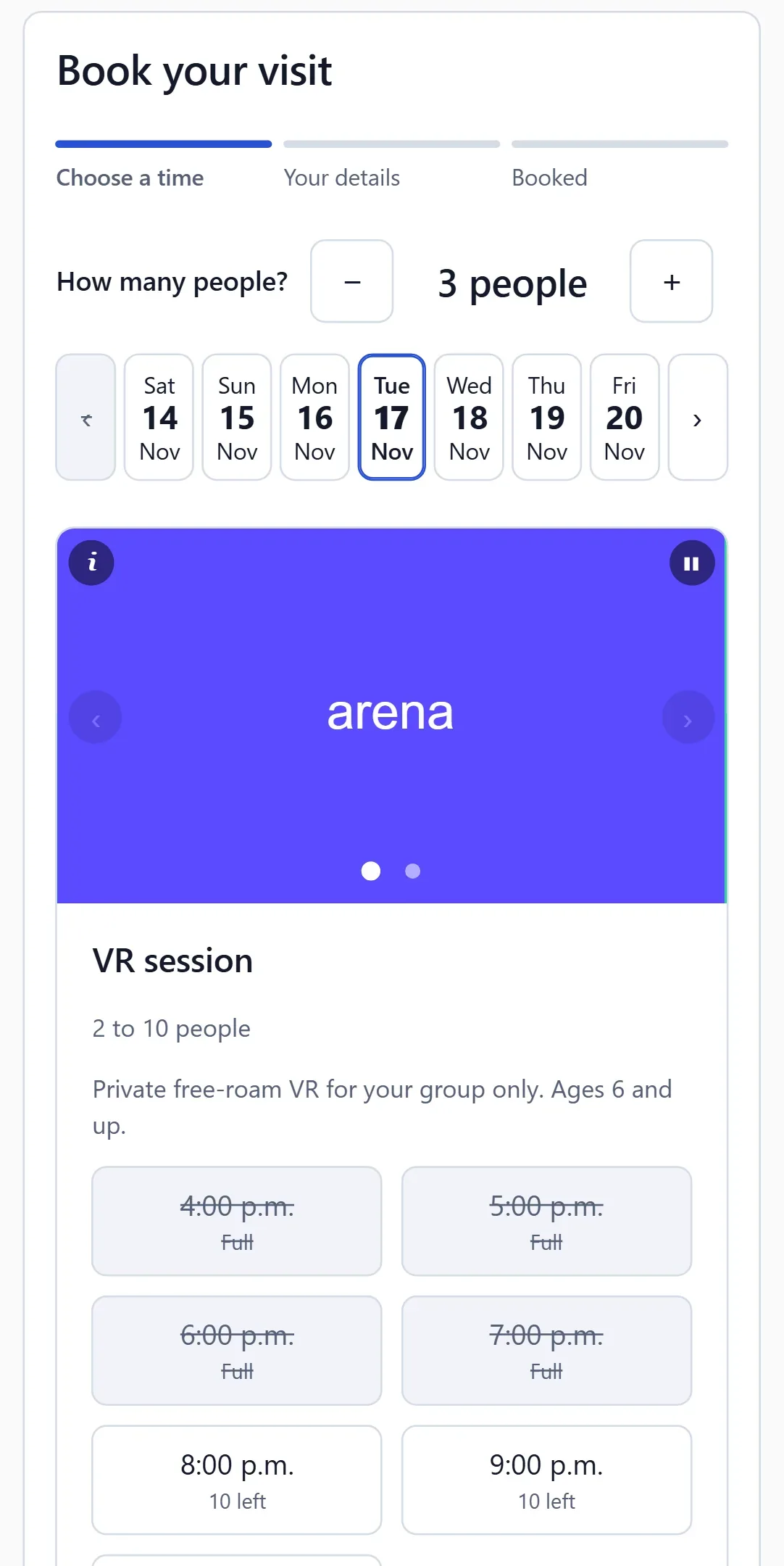
Booking on a phone
Group size, day and only the times that are really free, in your colours, with your pictures and videos.
On your website in minutes
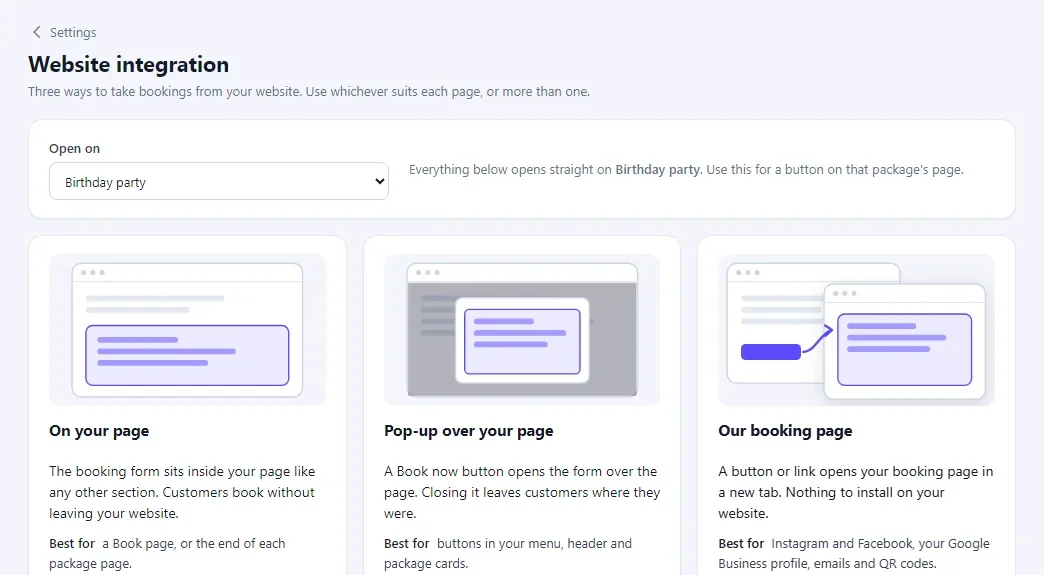
Pick how bookings appear on your website, copy one line, and paste it into Webflow, WordPress or any site builder.
Live demo
Book a party at our made-up VR arena
This is the real booking form your customers would use. Pick a package and a time and book: it is a test booking at a made-up venue, nobody will call you, and your details are removed within a day.
- The times shown are really free
- Made for phones first
- Your customers see your colours, not ours
Your website
Three ways to take bookings on your website
Use one, or a different one on each page. Each can open on a single package.
On your page
The booking form sits inside your page, as wide as the space you give it.
- Paste one line
- Fits any page width
- Best for a Book now page
Most flexible
Pop-up over your page
Any button on your website opens the form over the page, so visitors never leave.
- Works with your own buttons
- Visitors stay on your page
- Best for package and party pages
Our booking page
Your own booking page with your name and colours. Nothing to install.
- One link to share anywhere
- Opens in a new tab
- Best for Instagram, Google and emails
Works with Webflow, WordPress, Squarespace and any website that takes a line of code.
How it works
From first call to first booking
We set up your venue
Spaces, staff, packages and prices, together with you on a call.
Add it to your website
Paste one line, use your own buttons, or share your booking page.
Take bookings
Customers book and pay on arrival. Your team sees each booking at once.
Run the day
Check guests in at the desk. Reminders and thank-you emails go out by themselves.
Safe by design
Your customers’ details, kept safe
Encrypted and kept apart
Customer details are encrypted, and each venue’s data is kept apart from every other venue’s.
The right people, signed in properly
Two-step sign-in for owners, staff roles, and a record of who changed what.
No personal data where it does not belong
Names, emails and phone numbers never go into logs, error reports or analytics.
Questions
Questions venues ask us
Something else on your mind? We are happy to talk it through.
What does it cost?
From $29 USD a month for one location, with no fees on your bookings. Every plan has unlimited spaces, staff and bookings. See the plans.
Can customers pay online?
Pay on arrival works today. Online payments are coming.
Will it work with my website?
Yes. Paste one line into any website builder, open the form from your own buttons, or link to your own booking page.
Can customers book on their phones?
Yes. The form is made for phones first, and works just as well on computers and tablets.
Can staff book over the rules?
Yes, with a warning and a record of who did it. Two bookings never share a space at the same time.
Where is Reservanta from?
Reservanta is made in New Zealand. Our first venue is in Toronto, and we work with venues in New Zealand, Australia and Canada. Each venue keeps its own time zone, currency and taxes.
Does it work with Google Calendar?
Yes, both ways. Outlook and Apple Calendar can follow your bookings through a private link.
See it with your own venue
A 30-minute call: we set up one of your spaces while we talk. Then try it free for 14 days, no credit card required.